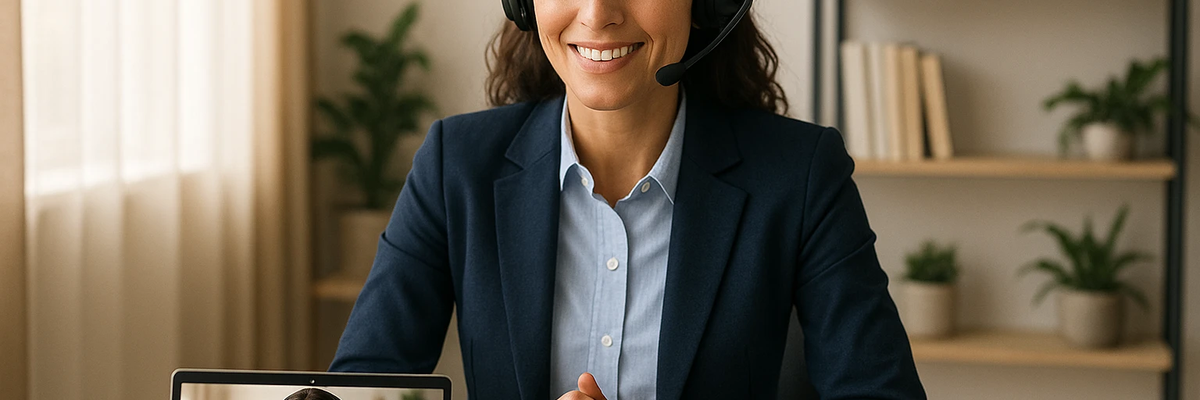
Got a video interview coming up? Don't treat it like an in-person interview.
Video interviews have their own rules. And if you're not prepared, you could blow your chance at a great job.
Today, FindYourJobNow.com is showing you exactly how to prepare for video and hybrid interviews in 2026… so you look professional, confident, and ready to get hired.
Remote and hybrid work is firmly the new normal, and that means video interviews are too. Whether it's Zoom, Teams, or Google Meet… you need to know how to nail a video interview every single time. Clear communication is especially important in virtual interviews.[1] Why? Because it's harder to read body language and build genuine rapport through a screen. You need to be extra clear, extra professional, and extra prepared going in. In 2026, hiring managers have conducted hundreds of video interviews. They can spot an unprepared candidate within the first two minutes.
Before your interview, test absolutely everything. Check your internet connection first—a bad connection can derail your interview before it even gets started. Test your Wi-Fi speed at speedtest.net. If possible, use a wired ethernet connection instead of Wi-Fi for a more stable signal. Close all other apps and browser tabs to free up as much bandwidth as possible. Test your camera and microphone well in advance—make sure your camera works and is positioned at eye level so you're not looking down at the screen. Test your microphone and use headphones with a built-in mic if you have them. Do a full test call with a friend or family member to check both audio and video quality before the real thing.
Choose the right location carefully. Find a quiet space with no distractions, no background noise, and no chance of interruptions. Use a clean, professional background or a tasteful virtual background if your space isn't ideal. Make sure your lighting is good—the best setup is to face a window or position a lamp in front of you so your face is well lit and clearly visible. Always have a backup plan ready: keep your phone nearby in case your computer crashes unexpectedly. Have the interviewer's contact information handy so you can reach them quickly if something goes wrong. Know exactly how to rejoin the meeting link if you get disconnected.
Remote interviewing requires preparation and professionalism.[2] Dress exactly like you would for an in-person interview, and yes, that means the bottom half too. You never know when you might need to stand up. Avoid busy patterns, loud colors, or distracting jewelry that draws attention away from what you're saying. Make sure your hair and grooming are neat and professional. Sit up straight throughout the entire interview. Slouching makes you look disengaged and unprofessional, and hiring managers absolutely notice.
Video interviews require slightly different communication skills than in-person ones, and mastering these details can make a real difference. Look at the camera, not at the screen—when you look at the screen it appears to the interviewer like you're looking down or away. Looking directly at the camera creates the impression of genuine eye contact. Speak clearly and pause deliberately after finishing your thoughts—there's often a slight delay on video calls and talking over the interviewer is a common and avoidable mistake. Use positive body language throughout—smile naturally, nod to show you're listening, and use measured hand gestures to emphasize points. This helps you come across as engaged, warm, and enthusiastic. Minimize all distractions before you start—turn off all notifications on your computer and phone, put a "Do Not Disturb" sign on your door, and let everyone in your home know you're in an important interview and cannot be interrupted.
Don't wing it. Practice until it feels completely natural. Do a full mock interview with a friend or family member over video call. Record yourself answering the most common interview questions and watch the recording back with fresh eyes. Look for areas to improve—your eye contact, your pacing, your body language, your clarity. The more you practice on camera specifically, the more confident and natural you'll come across when it counts.
Ready to ace your video interview? Here's your action plan: Test your tech thoroughly today (internet speed, camera position, microphone quality). Choose your interview location and set up your background and lighting. Practice answering common interview questions on camera at least once before the real interview. Dress professionally from head to toe and log on 5 minutes early so you're calm and ready.
And keep applying for jobs. Head over to our homepage (or click the home button above) and use our advanced job search toolbar. Type in the kind of job you're looking for and where you want to work… then click "view jobs."
Clear communication is especially important in virtual interviews. Remote interviewing requires preparation and professionalism. Video interviews are here to stay in 2026, and they require their own specific set of skills to do well. Test your tech, choose a professional location, dress the part, and practice your communication until it feels natural. Look at the camera, speak clearly, and bring genuine enthusiasm to every answer. When you're truly prepared, you'll come across as confident and professional—and you'll land the job.